Avatars - one of Treedis’ many features that allow users to meet and explore virtual spaces in a unique and interactive way. Let your clients and users create personalized avatars to represent themselves during HUB meetings.
Note: Avatars are available for Business and Enterprise plan users.
How to Set Up Avatars in HUB
1. Before sharing the meeting links, go to the HUB settings and enable Avatar Mode.
-png.png?width=452&height=360&name=unnamed%20(5)-png.png)
2. Copy the Guest link to share with participants, and use the Host link to join the meeting yourself.
3. Enter your name and choose one of the four available Avatars.
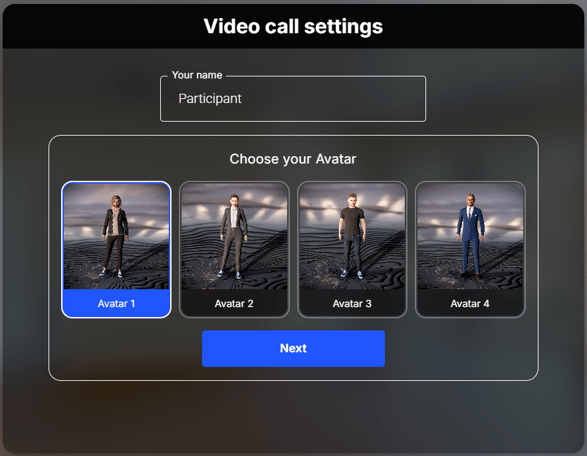
Important: Be sure to grant the system access to your microphone and camera - without these permissions, you won’t be able to join the call.
Take one final look at the video call setting, then click Join Call:
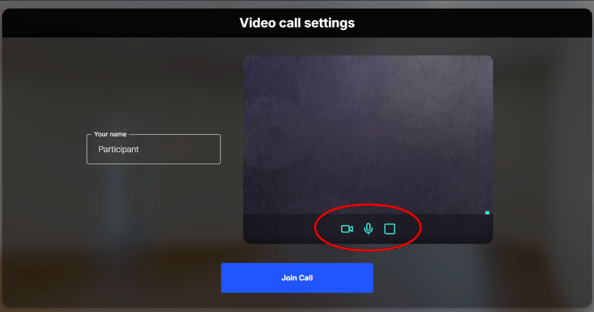
You are now ready to explore the space and connect with others in a fun and engaging way :)
If you have further questions or need assistance with configurations, please contact us at support@treedis.com.